

How to View Unpublished Pages or Subpages
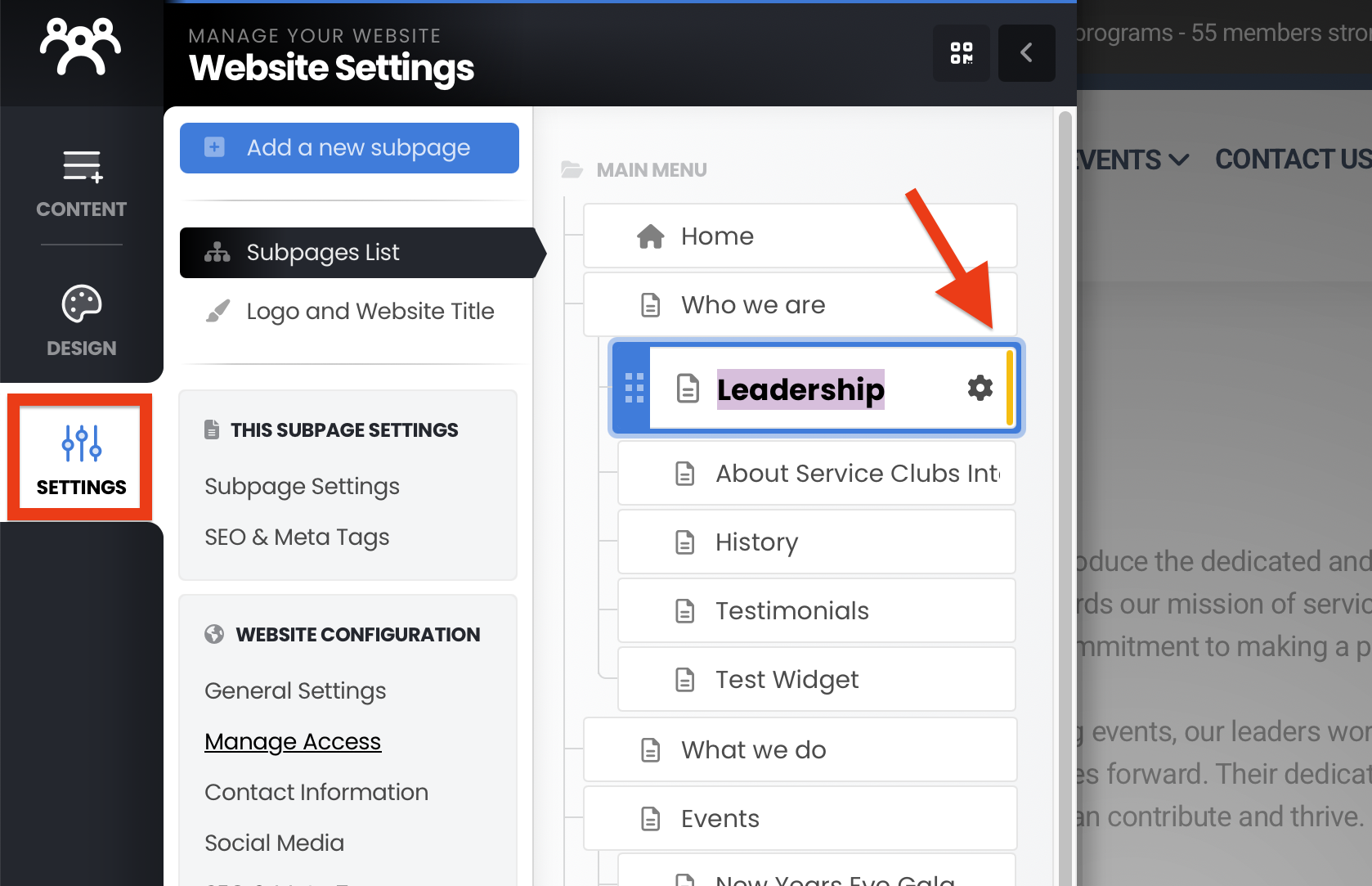
Click “Settings” in the left navigation menu.
A list of your pages and subpages will appear.
Look for a yellow bar to the right of any subpage name – this indicates the page is currently unpublished.
How to Publish a Page
Navigate to the page you want to publish.
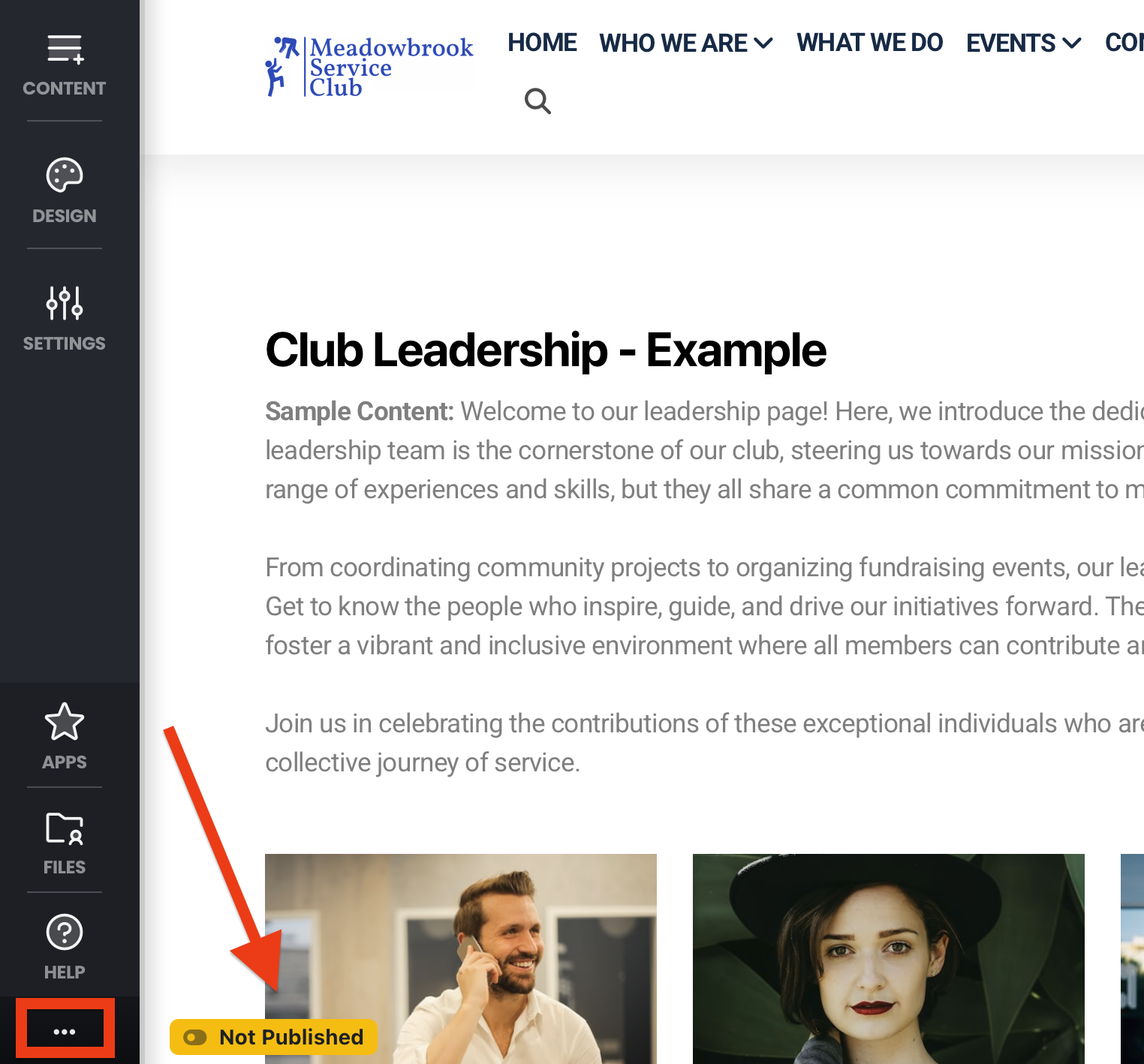
Click the "three dots" icon in the lower-left corner of the screen.
If the page is unpublished, you'll see a yellow “Not Published” button.
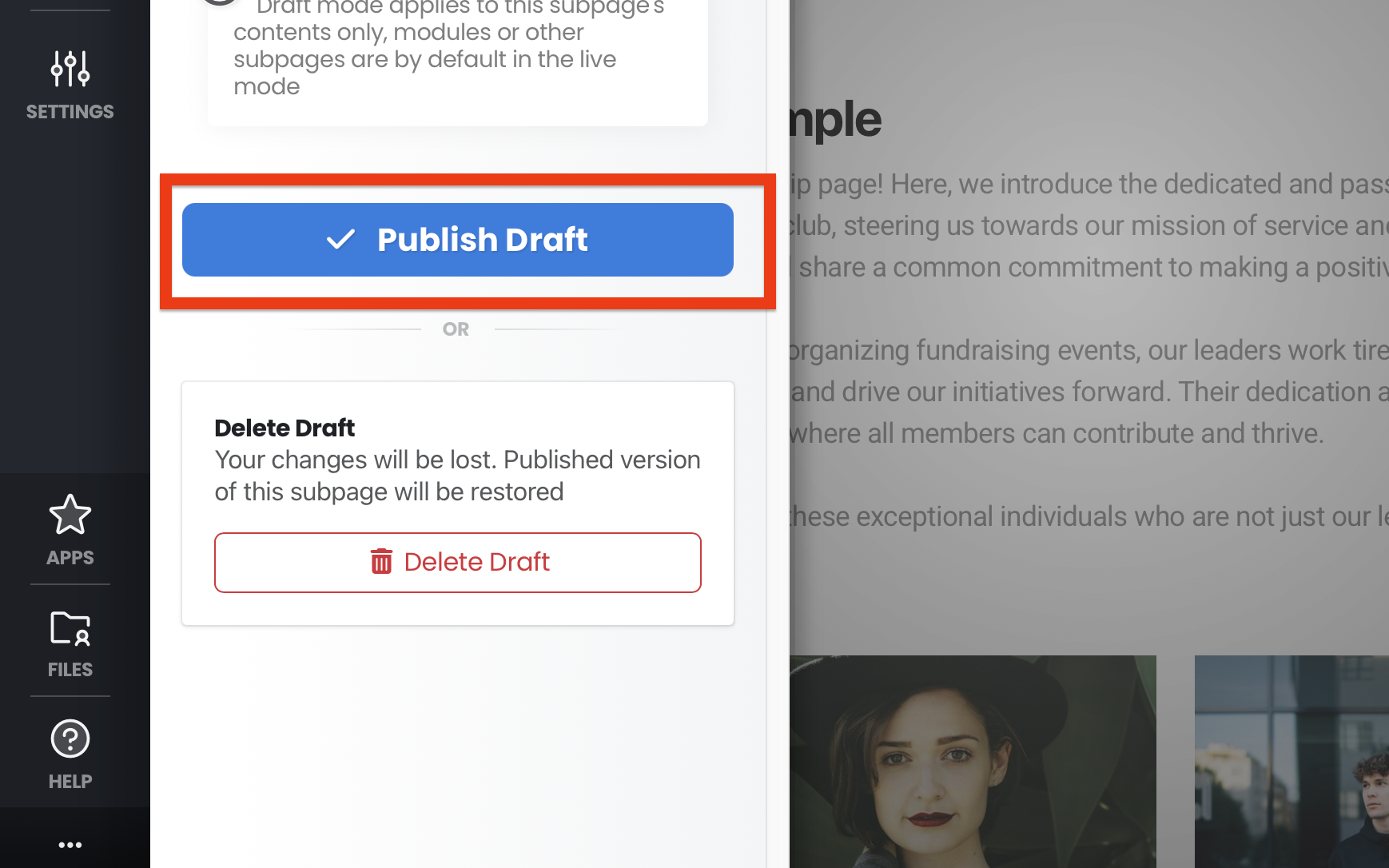
Click the “Not Published” button, then click “Publish Draft”.
Note: Unpublished pages won’t appear when viewing your site in non-edit mode (as a regular visitor would see it).